Free AI Text Effect Generator
Type a word, pick a style, get a cinematic image — fire flames, neon signs on a brick wall, premium gold logos, cyberpunk glitches, and 9 more. Powered by Google's Nano Banana model.
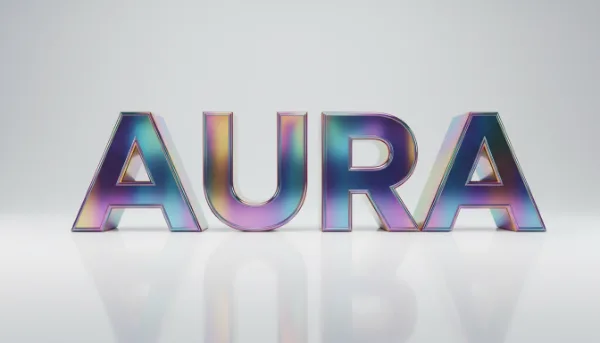
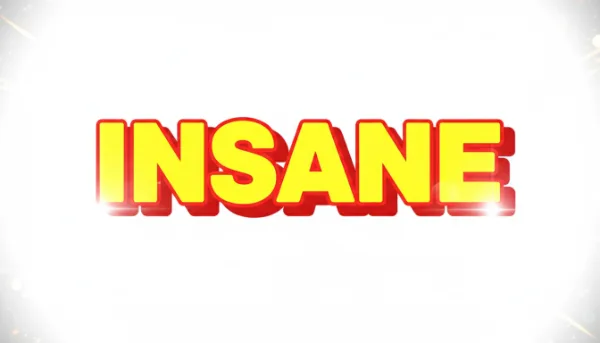
Real generations from the AI text effect tool
Click any style on the tool above to remix with your own word
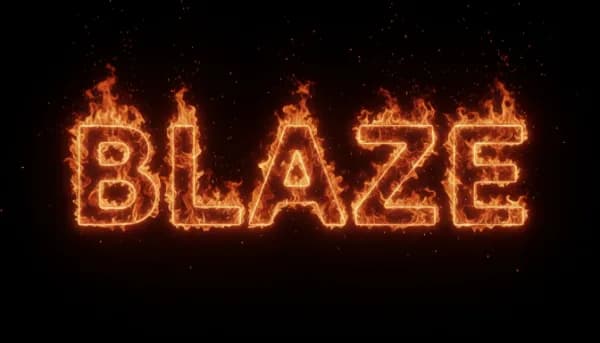
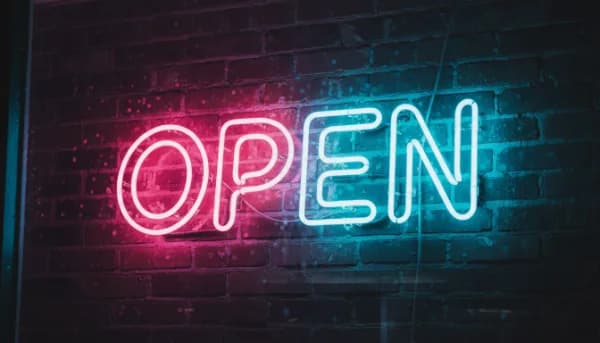
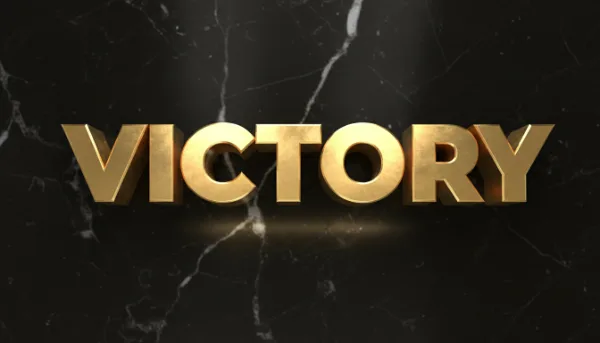
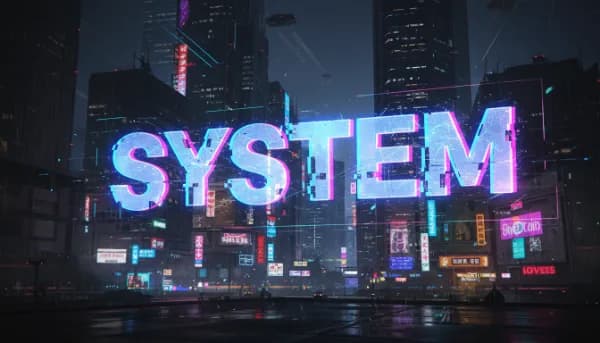
Generate an AI text effect in 3 steps
Type your word
Short words (3-10 characters) work best. The AI renders the actual letters inside the scene, so a single bold word reads cleanest.
Pick a style
13 cinematic presets: realistic fire, blue plasma flame, neon sign, 3D gold, cyberpunk, gaming banner, horror cursed, holographic, ancient stone, YouTube thumbnail, minimalist logo, Twitch panel, heavy metal.
Generate & download
Result appears in 5-15 seconds. Download as PNG, share with one click, or remix with a different style — same word, totally different vibe.
Why use our AI text effect generator
Real AI, not CSS tricks
CSS text effects look flat and graphic. AI generates a real scene — flames have depth, neon glows on a textured wall, gold reflects on marble.
13 cinematic styles
Each style is a hand-tuned prompt template baked with the best model parameters. Get production-quality results without writing prompts.
Best-in-class text rendering
Built on Google's Nano Banana (Gemini 2.5 Flash Image) — currently the most accurate model for rendering specific letters inside a generated scene.
Sharable & remixable
Every share link carries a remix prompt so friends can try the same style with their own word. Outputs auto-watermarked when shared.
Use commercially
Outputs are yours to keep — band logos, gaming thumbnails, podcast cover art, marketing graphics, client work. No license fees.
Free, no signup
1 generation per hour and 3 per day per user. No account, no credit card, no email collection. Just type and generate.
What you can build with AI text effects
YouTube video thumbnails
Drop the generated text into your thumbnail composition. Yellow outline + red shadow styles are tuned for maximum click-through in crowded feeds.
Gaming / esports branding
Twitch panels, Discord server banners, tournament logos, gaming clip thumbnails. Heavy metal, cyberpunk, and gaming banner styles all work great.
Music & album art
Band logos, single covers, festival flyers, lyric quote graphics. Heavy metal style nails the metalcore aesthetic; neon and holographic suit synthwave.
Brand & product wordmarks
Minimalist logo style produces clean modern wordmarks — perfect for startup landing pages, MVP brand mockups, and quick logo concepts.
Social media quote graphics
Instagram quote tiles, Pinterest pins, Twitter header art. Single-word emphasis posts using realistic fire, neon, or stone carving all stop the scroll.
Halloween & event graphics
Horror cursed style for Halloween parties; gold for weddings and anniversaries; fire for product launches. One-word event graphics in seconds.
Print-on-demand designs
Generate text art for t-shirts, mugs, posters, phone cases. Output resolution works fine for most POD sites — upscale further if you need 4K.
Tips for the best text effect results
- 1
One short word beats a phrase. AI models render specific letters more accurately at 3-10 characters. 'BLAZE' will render perfectly; 'THE GREAT BLAZE OF 1989' usually won't.
- 2
Use ALL CAPS for drama. Caps render more readable in flame, neon, and 3D styles. Lowercase works well for cursive and minimalist styles.
- 3
Common letters > unusual symbols. Numbers and ampersands sometimes render imperfectly. Stick to A-Z for the most reliable results.
- 4
Match the word to the style. 'CURSED' in horror style hits harder than 'HAPPY'. 'WINNER' in gaming banner beats 'CALM'. The semantics matter.
- 5
If a letter looks wrong, regenerate. Same prompt produces slightly different results each time. Two or three runs almost always include a perfect version.
- 6
Pair with the AI Image Editor. Generate the text art, then drop into the editor to add your face, product, or a different background. The two tools chain naturally.
Turn any word into a cinematic image
13 hand-tuned styles — free, no signup, downloads as PNG.
Generate your text →Frequently asked questions
Everything you need to know about the Free AI Text Effect Generator. Still stuck? Email us at info@textphoto.app.
How is this different from your Fire / Neon / Gold CSS tools?
Why are there usage limits?
Can I commercially use the outputs?
What model is it?
More AI tools in AI text art
Free, no signup — try a different one next.
Free AI Fire Text Generator
Free AI fire text generator — realistic orange flames forming any word you type.
Free AI Neon Sign Generator
Turn any word into a glowing neon sign on a brick wall. AI-generated.
Free AI 3D Text Generator
Premium 3D rendered text — gold, chrome, marble, bronze. AI-generated.
Free AI YouTube Thumbnail Text Generator
Free AI YouTube thumbnail text — bold high-CTR letters, yellow outline, red shadow.
Free AI Discord Banner Text Generator
Free AI Discord banner text — bold gaming letters with fire, sparks, esports aesthetic.